 Staten
Free statistics program · Windows, macOS, Linux
Statistics you can see, check and edit.
AI only if you want it.
Open a .sav or Excel file, run the tests, polish every table and graph, and take an APA report to Word. Free, on your own computer.
Free · no account, no trial, no watermark
Staten is a desktop app. Open this page on your computer to download it.
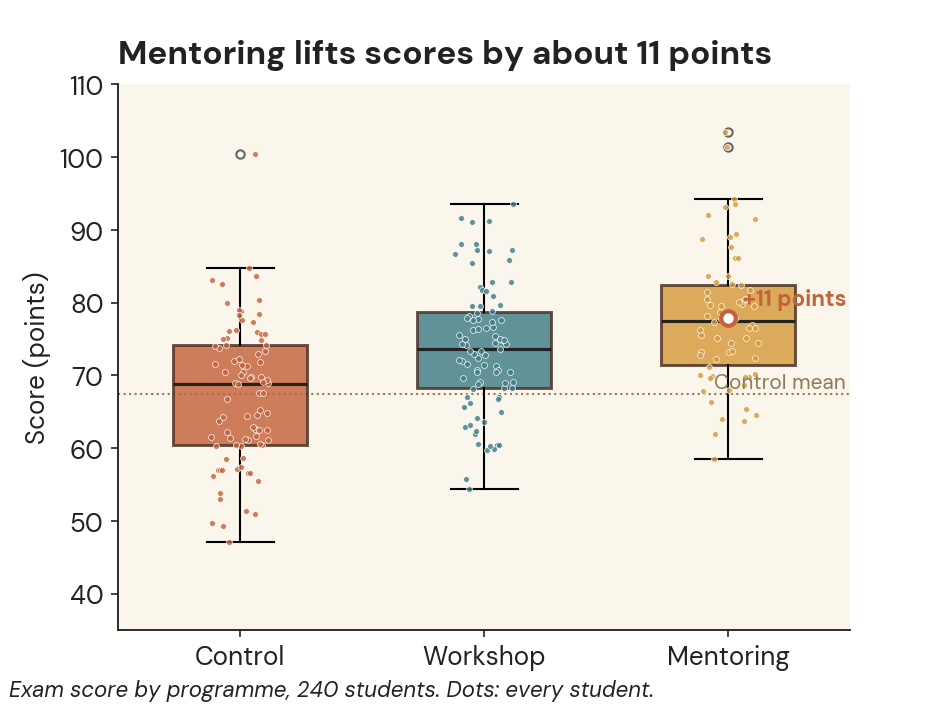
Figure 1
Mentoring lifts scores by about 11 points
Systems
Windows, macOS, Linux
Languages
English and Serbian
Files
Never leave your computer
Statistics and AI
Linked, never mixed
Built fortheses · clinical research · methods teaching · survey and NGO analysts
§ 1 Graphs
From default output to the figure in your paper.
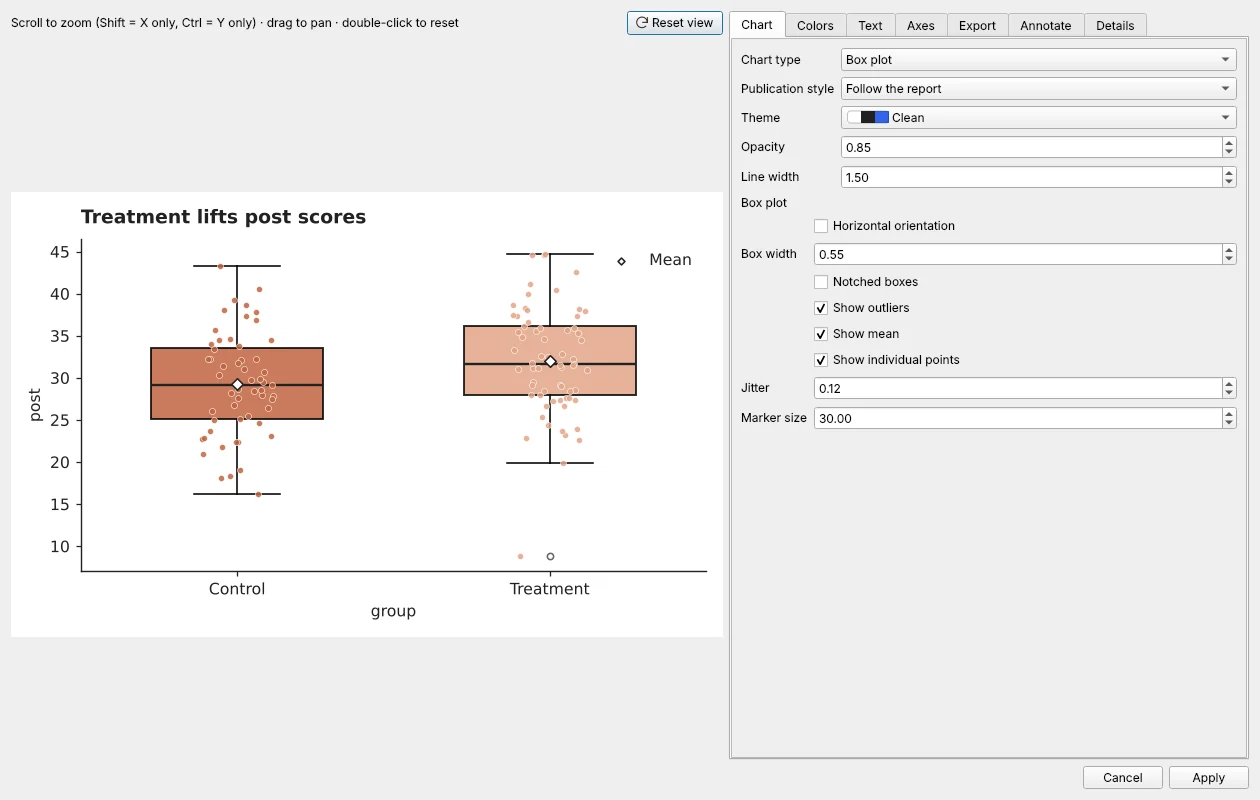
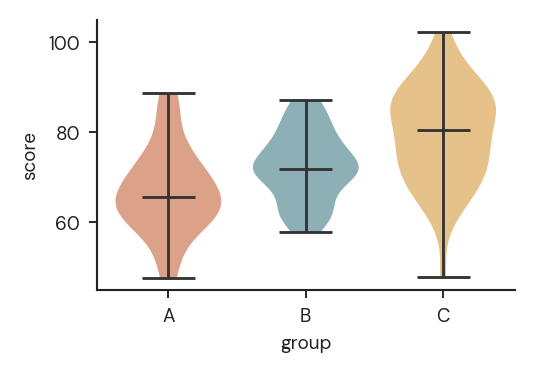
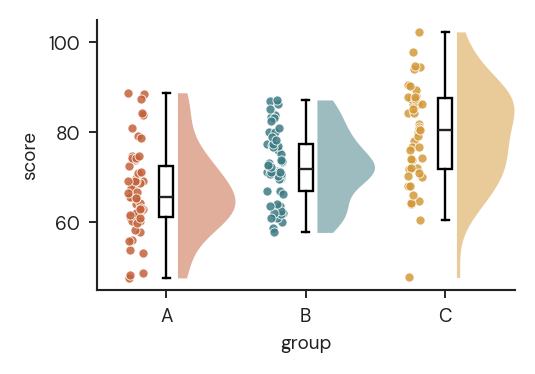
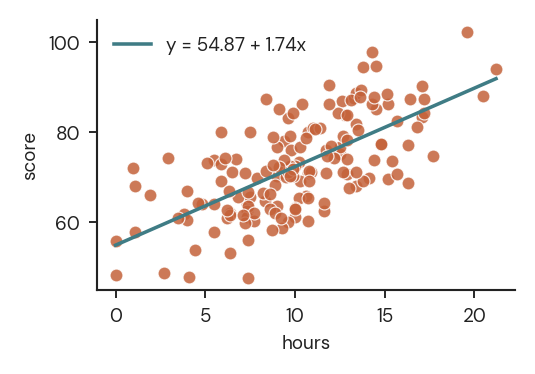
Most programs stop at the first picture. In Staten the graph stays open and linked to the data, so you can keep shaping it. Step through it.
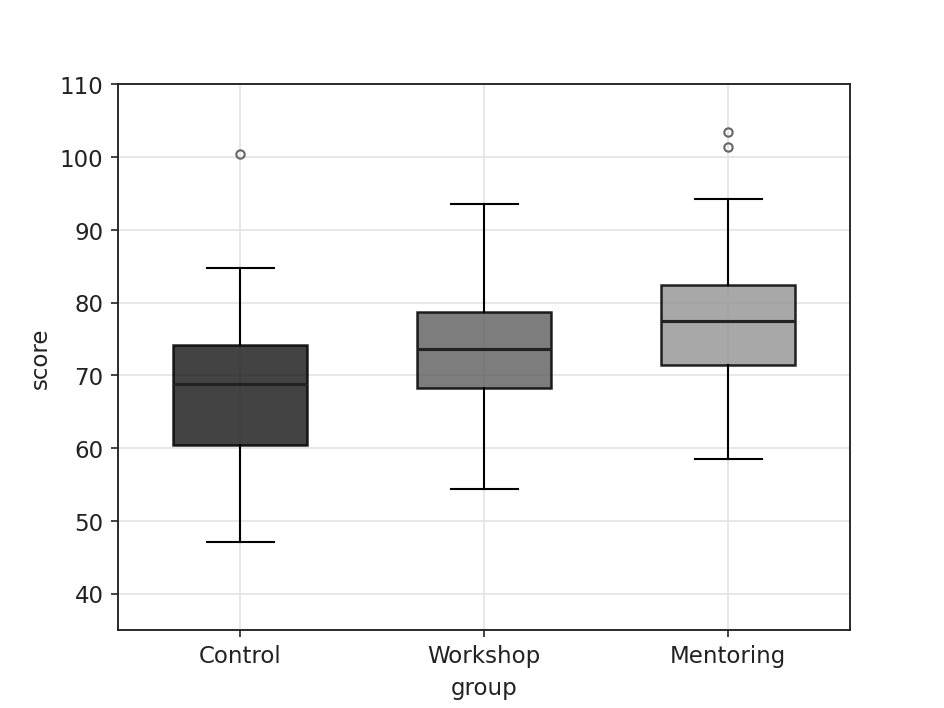
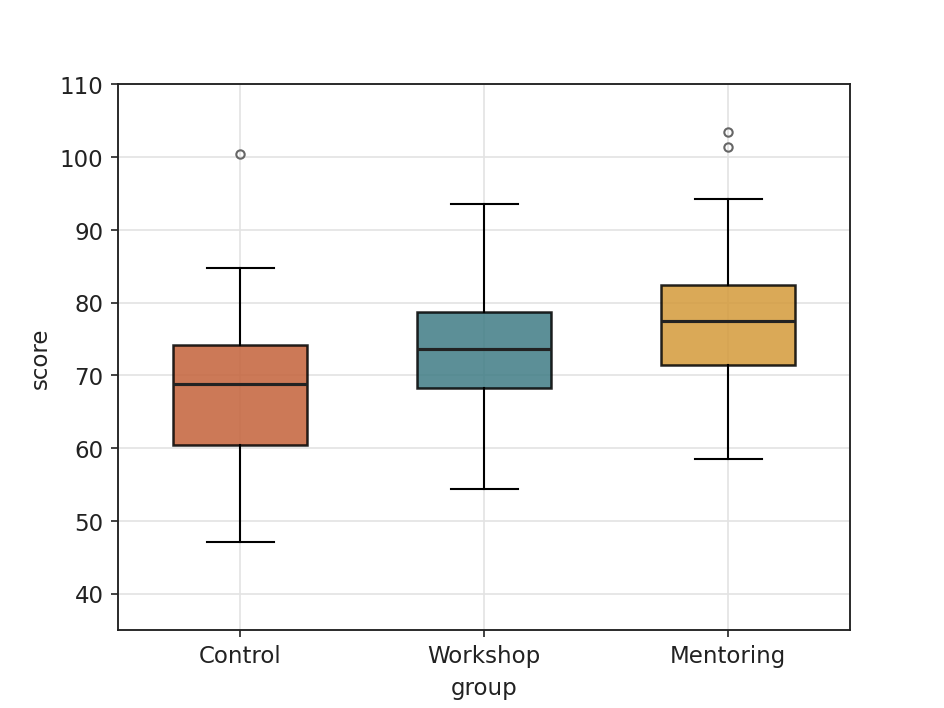
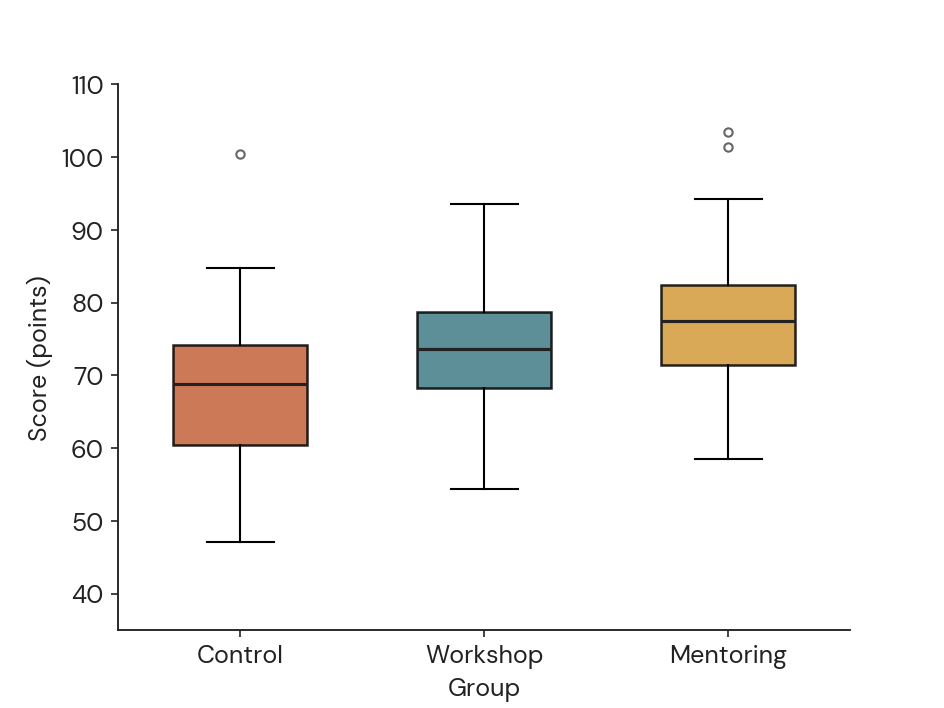
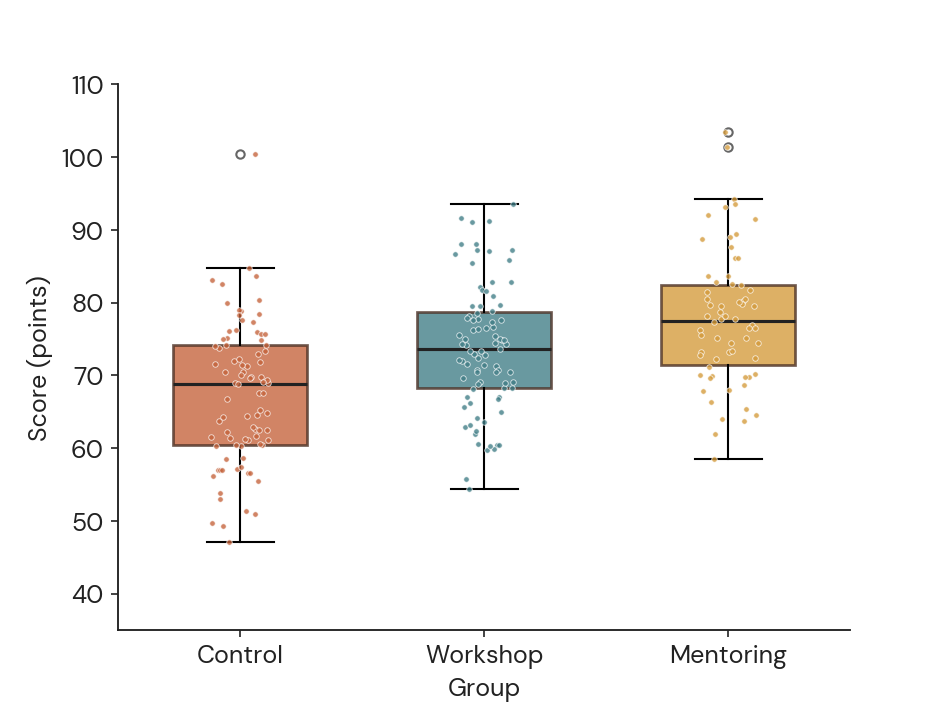
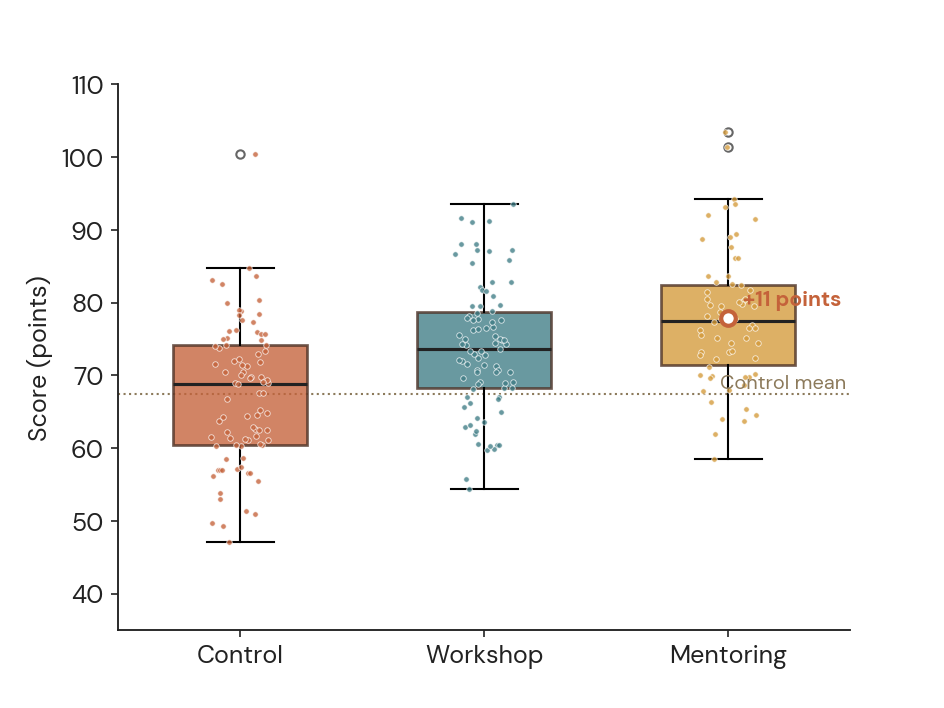
- Default outputWhat you get from most programs
- Colour by group
- Clean axes and labels
- Show every student
- Mark the effect+11 points against the control mean
- Ready for WordTitle states the finding
Same data, same test. Only the graph editor changed.See every graph type →
§ 2 Inside Staten
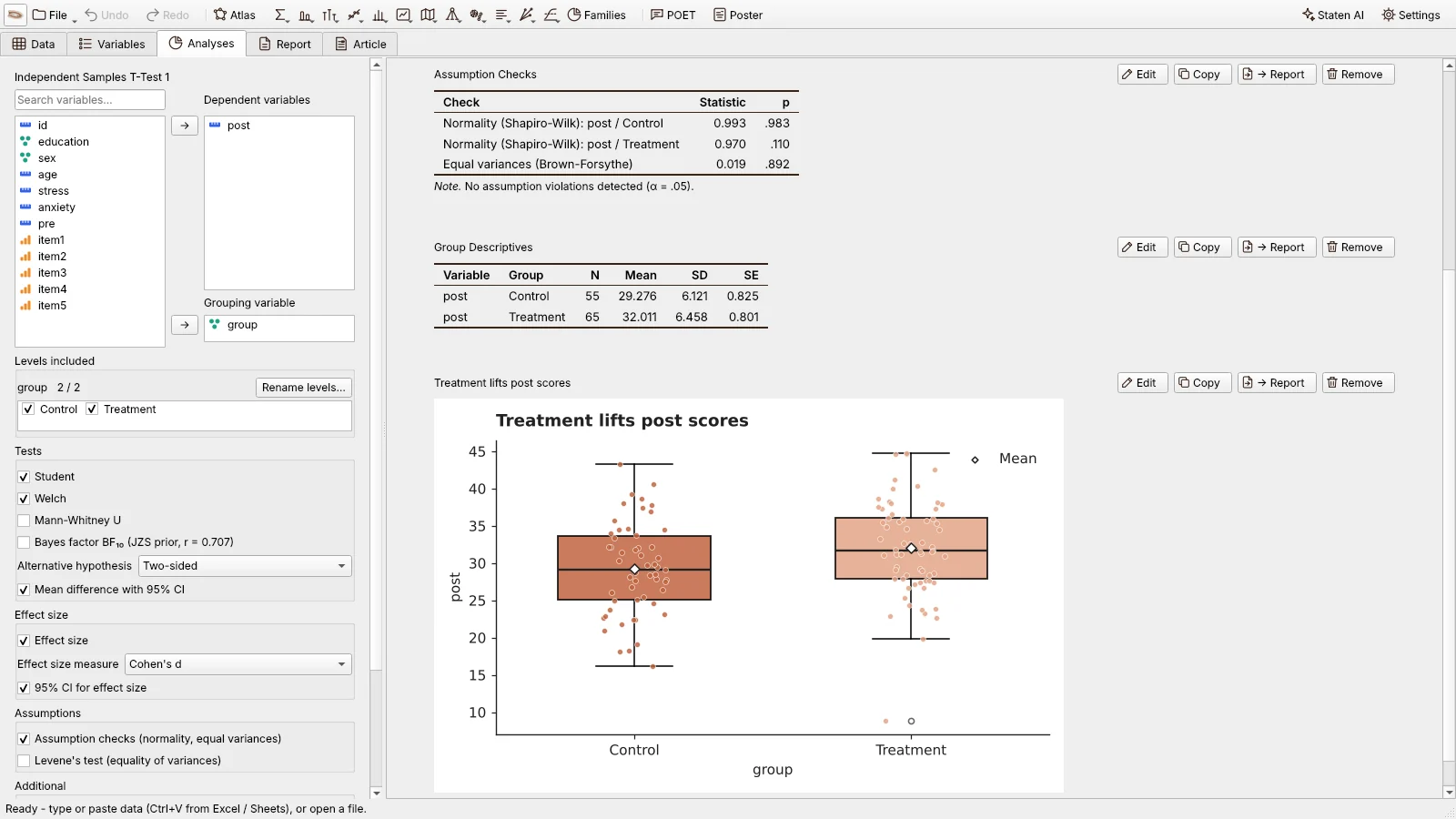
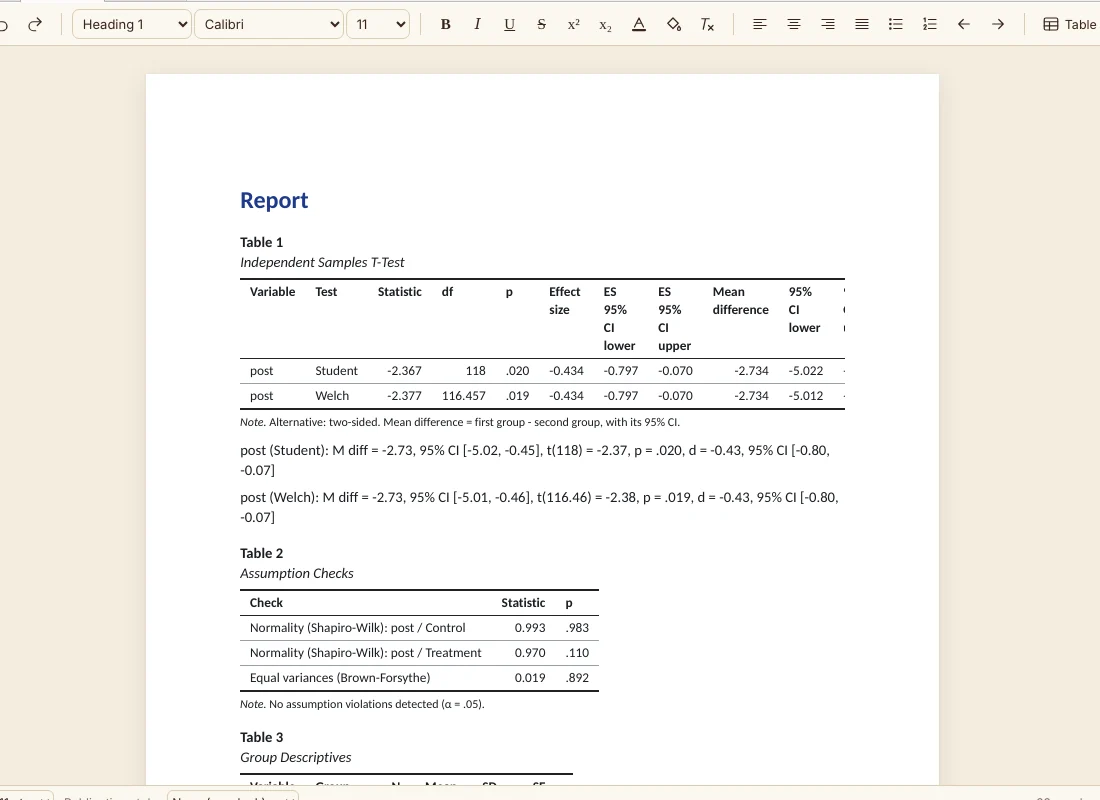
A t-test with its assumption checks, APA sentence and graph, one click from the data.
§ 3 Cost
Almost all of Staten is free. For good.
No account, no time limit. You pay only when an AI model works for you.
| Item | Covers | Price |
|---|---|---|
| Every analysis | From t-tests to mixed models, survival and text. | Free |
| Every editor | Data, graphs, tables, report, article. | Free |
| Your computer | Nothing is uploaded. | Free |
| AI assistant | Optional. Only when you turn it on. | Pay per use |
§ 4 Comparison
The analysis is only half the work.
The other half is cleaning data, fixing graphs and moving tables into Word. Staten is built for that half.
| If you use | The problem | In Staten |
|---|---|---|
| SPSS | It costs a lot. | Free, and it opens .sav files with labels. |
| Free tools | They stop at the output. | The editors come first, and tables follow a journal style (APA, AMA, Vancouver and more). |
| AI tools | They want your file. | Your file stays put, and every step is shown. How your data is protected |
§ 5 Workflow
Made for the way people actually work.
5.1
Edit everything, later
Graphs, tables and text stay linked to the data.
5.2
Find the right analysis
Browse the atlas, or press Ctrl K and type.
5.3
Text is data too
Topics, similarity, coding open answers.
5.4
An assistant that shows its work
Optional. Every step visible, every number from Staten. It can read your task and codebook too.
§ 6 Before you download
Questions.
All questions →- Is Staten really free?
- Yes. Every analysis and every editor is free, with no time limit and no watermark. You pay only if you choose to use the AI assistant in the cloud. See pricing.
- Can I open my SPSS files?
- Yes. Staten opens .sav files with their labels, Stata .dta, and Excel or CSV files, even with messy headers.
- Are my files uploaded anywhere?
- No. Your files stay on your computer. With the assistant off, Staten makes no connections and has no telemetry; maps download tiles only when you ask.
- What does the AI assistant see?
- Never rows or cells. You choose Strict, Standard or Results, and you can read each message before it is sent. Numbers are always computed by Staten, never by the model. Read more.
Start with your own data.
Free to download. No account, no sign-up.
Download StatenStaten is a desktop app. Open this page on your computer to download it.
Analyses
Find the right test for your question, then see what to check first and what comes next.